Flicke Posting Problem on ePlaya / see: BACON Jerky????

All things outside of Burning Man.
Post Reply
User avatar
Here and there
Posts: 326
Joined: Thu Oct 09, 2008 8:30 pm
Location: Nowhere I want to be
Contact:

Flicke Posting Problem on ePlaya / see: BACON Jerky????

Post by Here and there » Thu Nov 05, 2009 9:26 pm

Reference: this post by Firemoose and this reply by AntiM in the BACON Jerky???? Really? in Q&A, Tips and Tricks. I'm spinning off this subject to avoid the promotion of topic drift.


AntiM wrote:
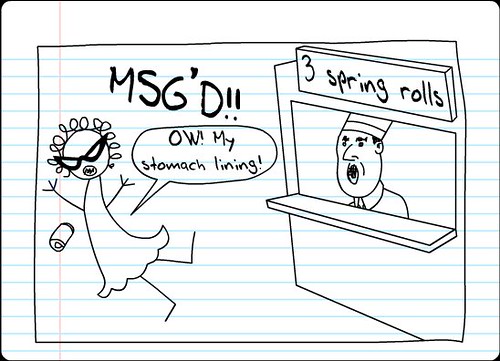
Fire_Moose wrote:I like my bacon with extra nitrates and MSG


Image


why arn't my images working?!?!!?
That's a url. Run it through photobucket or imageshack.

No need to go that far, especially since Photobucket only allows one acount per user, with limited bandwidth and storage, and Imageshack has been known to lose perfectly innocent images.

All that one needs to do to make the image appear, in the above is

1. Unclick the box marked "disable" BBCode in this post. I also unclicked "disable html" and "disable smilies", but doubt that was anything more than a useless reflex on my part.

2. Remove everything on the url that follows the .jpg - ie. what you see between the double quotes: "?v=0"

3. Set the image to link back to the page on Flickr where it appears. One can find the url for that page by doing a Google image search on the image url as you entered it

"farm1.static.flickr.com/121/271887757_85402c1788.jpg?v=0"

which will bring up this page on Flickr.com


which you may then link to using this format. Google image searches of images on Flickr always seem to turn up the page on which the image is found, instead of the direct link to the image, so this is a good strategy to follow in general when looking for such pages.

Remove the spaces, which I'm deliberately inserting to keep the board's software from rendering this as code

[ url = ] [ img ] farm1.static.flickr.com/121/271887757_85402c1788.jpg [ / img ] [ / url ]


This is not a technical requirement. You could insert the image without the linkback, and it would appear - for a while. But this would be a violation of Flickr's community guidelines, which include this passage


"Do link back to Flickr when you post your Flickr content elsewhere.
The Flickr service makes it possible to post content hosted on Flickr to outside web sites. However, pages on other web sites that display content hosted on flickr.com must provide a link from each photo or video back to its page on Flickr."


That's pretty reasonable on their part, I would think. If you don't link back to them, the bandwidth consumption becomes a dead loss for them, and they may very well respond by refusing to feed the image to this location, leaving you with a broken image link. So, arguably, it's both right and practical to honor those guidelines.

I hope this helped.

User avatar
oneeyeddick
Posts: 5589
Joined: Wed Oct 24, 2007 6:08 pm
Burning Since: 1996
Location: Probably in your pants

Post by oneeyeddick » Thu Nov 05, 2009 9:40 pm

I have six Photobucket accounts, and could have many more if I wanted them.

YOU ARE DOING IT WRONG !!!
We have an obligation to make space for everyone, we have no obligation to make that space pleasant.

User avatar
Here and there
Posts: 326
Joined: Thu Oct 09, 2008 8:30 pm
Location: Nowhere I want to be
Contact:

Post by Here and there » Thu Nov 05, 2009 10:06 pm

oneeyeddick wrote:I have six Photobucket accounts, and could have many more if I wanted them.


You could, but this is likely to be a TOS violation. Quoting those terms


"Fees. Members are limited to one free account per person. You may also upgrade to a "PRO" account by paying a membership fee, in which case you are entitled to one free account (in addition to your PRO account)."


One might go on to notice that the ratio of bandwidth allotment to space allotment is no higher than 10, so if one fills up one's space, and one's photos see more than 10 hits per month on the average, one's account will periodically go down. Free space on a photobucket account, then, becomes something of a scarce resource, and a relatively precious one, best not wasted on a throwaway photo on a BBS that one will post once, and then probably never look at, again.

One might add that somebody else holds the copyright on that image, leaving one to run afoul of this passage in the terms, should one post this image to the board using one's Photobucket account


"6.2 You represent and warrant that: (i) you own the Content posted by you on or through the Photobucket Services or otherwise have the right to grant the license set forth in this section, (ii) the posting and use of your Content on or through the Photobucket Services does not violate the privacy rights, publicity rights, copyrights, contract rights, intellectual property rights or any other rights of any person,"


Under the Berne Convention, to which the US is a signiatory nation, and the DMCA (passed in compliance with treaty obligations), the moment that image was created, the creator automatically got a copyright on his work, so reposting it without his consent is a violation of his intellectual property rights and Photobucket's TOS, and thus grounds for deletion of one's account and banning, by IP, from the service altogether.

Uploading the image to one's own Flickr account, even with the consent of the owner of the image, would be grounds for banning, as well. One can, however, link to the image. One notes, when logged into Flickr, that the (presumed) owner of the image has chosen the settings on his image in such a way as to allow it to be blogged, so he has indicated his consent to having it embedded elsewhere. Flickr, unlike Photobucket, has incredibly generous bandwidth limits, so generous that nobody even seems to know what they are, and unlike Imageshack, is extremely reliable - and unlike creating extra Photobucket accounts, linking to Flickr is something that one is allowed to do for free.

So really, why work harder and pay more to get a result that will be of less use, and quite possibly a greater source of trouble in the near future?


oneeyeddick wrote:YOU ARE DOING IT WRONG !!!


We are having fun screaming, aren't we, Richard?

User avatar
Here and there
Posts: 326
Joined: Thu Oct 09, 2008 8:30 pm
Location: Nowhere I want to be
Contact:

Post by Here and there » Thu Nov 05, 2009 11:26 pm

Getting back on track ...

Firemoose - looking at the url you chose to link to,

http://farm1.static.flickr.com/121/2718 ... 88.jpg?v=0

even when we trim it back as I suggested

http://farm1.static.flickr.com/121/2718 ... 2c1788.jpg

I find that I'm left with a concern, which might or might not matter to you. Will this image still be visible a few years from now? People do go wandering through the archives, and broken image links look bad when they do. Going to the image page, and clicking on the image to save, I get this filename

271887757_85402c1788.jpg

and cutting and pasting end of the image url above we get this filename

271887757_85402c1788.jpg


My clerical skills aren't perfect, but those two look identical to me. I'm thinking that the image that people have been embedding is the one found on the image page on Flickr, itself. The problem with doing that is that said image was never intended for blogging purposes, so if Yahoo should decide to move things around at Flickr, it probably won't hesitate to change that url, and break your image link.

You can, if you feel comfortable with the idea of giving Yahoo your password, you can set up a blog for blogging images. I wasn't completely comfortable with putting my livejournal at potential risk that way, so I set up a Wordpress blog for testing purposes, and embedded the image. Having done so, and then checked the code for the resulting post, I find that this is the image that Flickr chose to insert:

http://farm1.static.flickr.com/121/2718 ... 1788_m.jpg

This is the medium sized image, so if you'd like to avoid giving out the password to one of your blogs, you might be better off clicking on "all sizes", which brings you to this url in the case of this image


and then clicking on "medium", which brings you here


Following this procedure with any given image that is set to allow blogging - because let's be cool about this and respect the creator's wishes - one right clicks on the image, clicks on "save" from the drop down menu, and then cuts the filename of the image from the box that pops up. Unrendering the page, one then searches for the image link in the page code by pasting the filename back in, remembering to add ".jpg" on the end. One should be able to find the url of the medium sized image in the page's code with a minimum of difficulty, and cut and paste it into the code above.

A little more work than the first option, but a choice you have if, again, you really don't want to give out that password, which some people don't. Either way, you'll get an image link that almost certainly won't break, because this is the one Yahoo encourages people to use, and they'd be breaking a lot of links, earning a lot of hate and shedding a lot of inbound links and pagerank if they started changing those. Your only worry is that somebody might choose to delete his image, but as the only space limit on Flickr is the upload limit per month, he probably has no reason to do so, ever - as long as that is his image that he has uploaded. On testing, I found that this worked for me, and as a fringe benefit, I did get this pleasant plate of brisket from the Wordpress people after reading their TOS. Most generous of them, I think.


Image


For the record, I changed the password to my Wordpress blog, post testing. If it sounded like I was being semi-snarky when I mentioned somebody's comfort level as he gave out his password, I wasn't. Doing that is something that one generally doesn't want to do - at least, I don't - even to well known companies, if, for no other reason, because every company has the occasional rogue employee. I think that it is good to be careful, and I've found that many others have felt the same way, so I thought I might as well address that concern.

Post Reply

Return to “Open Discussion”